MCD USB Hubs

SWITCHABLE HUBS WITH MAXIMUM CONTROL
Intelligent control of USB connections in inspection and testing systems

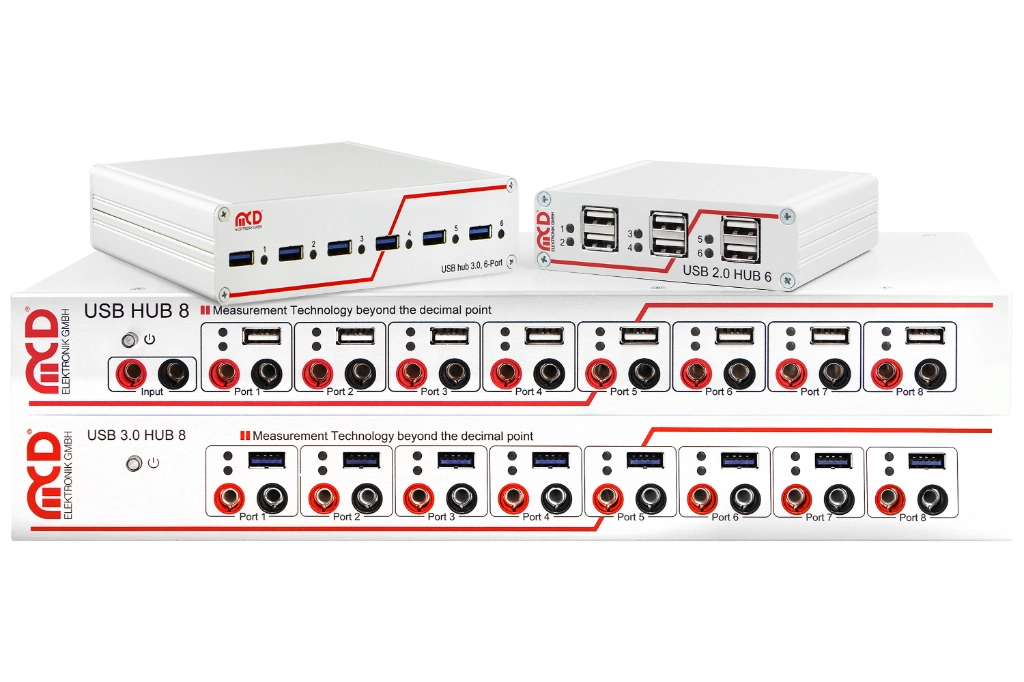
MCD USB hubs are designed for applications where USB devices not only need to be connected, but actively controlled. Each port can be turned on and off individually. When switching off, both the supply voltage and the data lines are disconnected. This allows connected devices to be specifically activated, deactivated or reset without physically plugging or unplugging cables. This is particularly valuable in automated test systems, endurance tests, laboratory setups and production test benches. Stuck USB devices can be restarted, unneeded consumers can be switched off and defined start states can be created for reproducible test sequences. Depending on the variant, the hubs support USB 2.0 or USB 3.0 standards, have six or eight downstream ports integrated and are used as external control inputs, for current measurement, for charging port functions and overcurrent shutdown as well as for the integration of additional switching functions.
Challenges and concept

USB devices are often central components of the measurement setup in inspection and testing systems. Cameras, scanners, sensors, actuators, programming devices, measurement modules, adapter electronics and communication interfaces must be reliably available and controllable.
components_usbhubs-architektur-1024x682

SWITCHABLE HUBS WITH MAXIMUM CONTROL

Added value through the MCD USB hubs

If USB devices do not start reliably, get stuck or consume power unnecessarily, the entire test process can be disrupted. MCD USB hubs create process reliability through defined port states, automated reset functions, current monitoring, overcurrent protection and clear status displays.

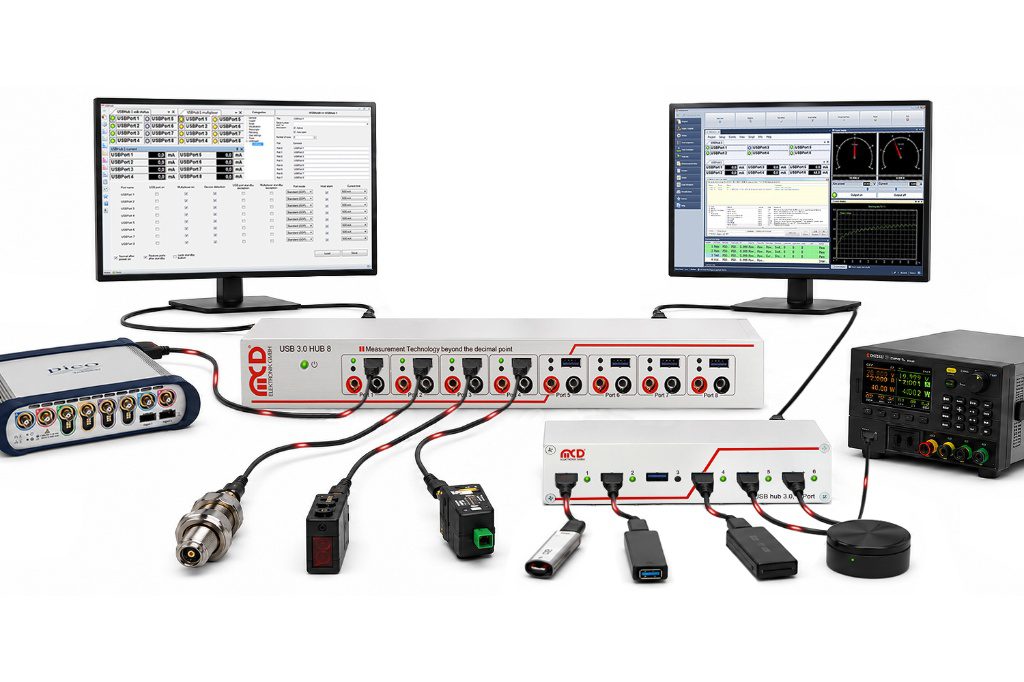
In combination with Toolmonitor and test software, USB devices become controlled components of the testing process. This allows test processes to be stabilized, operator intervention reduced, sources of errors to be narrowed down more quickly and systems to be operated more reproducibly - from the laboratory to the automated production line.

Port control
Defined and switchable USB port states
surveillance
Current monitoring, overcurrent protection & status indicators
integration
Tool monitor, ASCII commands & external control signals
Test and functional scope

Controlled & integrable

The MCD USB hubs enable targeted control and monitoring of connected USB devices. Ports can be configured, switched and integrated into automated test processes; At the same time, monitoring and protection functions support stable operation.
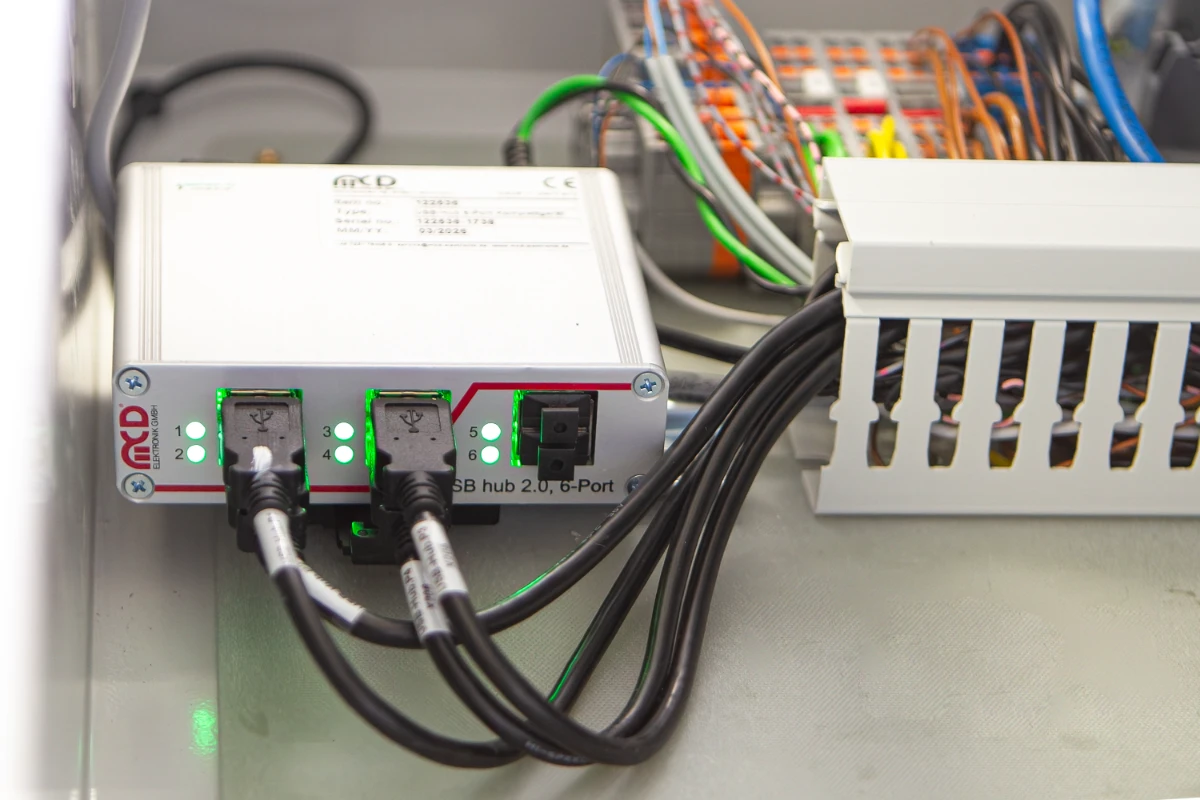
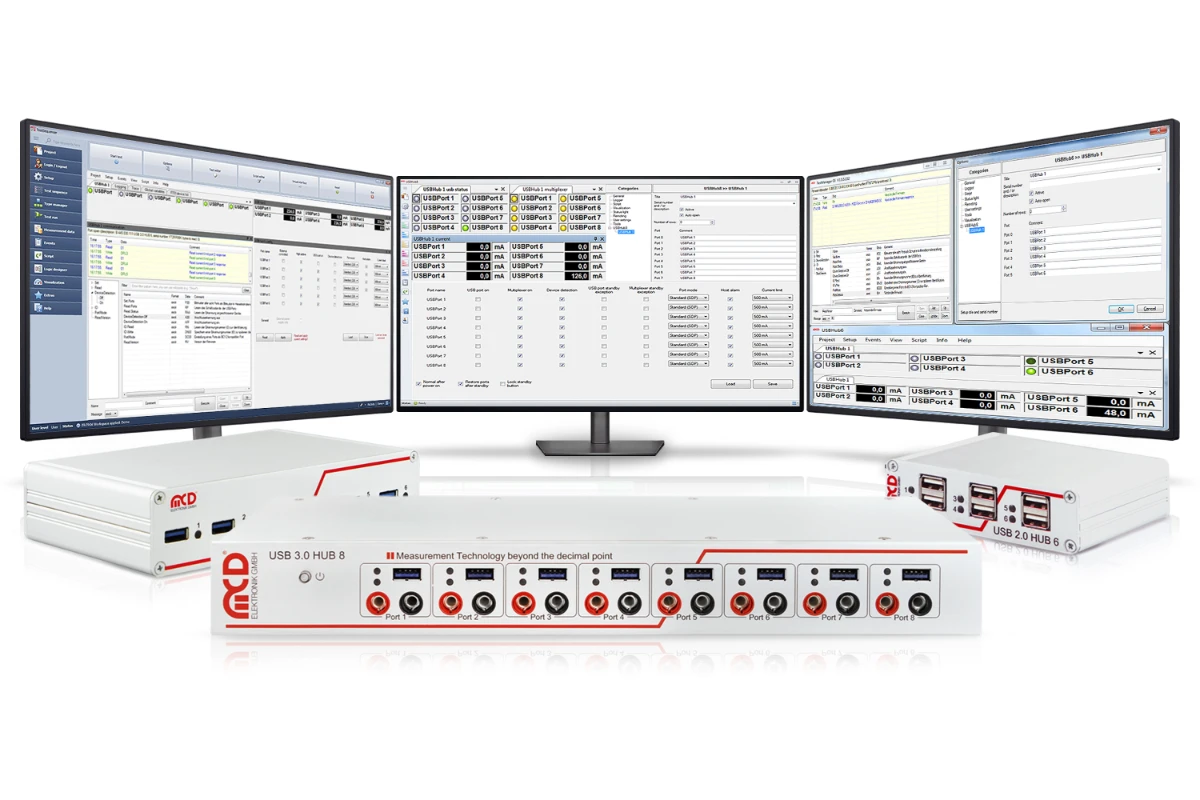
USB 2.0 Hub, 6-port
USB Hubs
Recording Operation
USB Hub Structure
USB Hubs
with monitors

Defined port states and automated reset functions enable the controlled integration of USB devices into testing and testing processes.

  • Configure and switch USB ports
  • Defined port states
  • Automated reset functions
  • Reproducible device initialization in the test sequence

The USB hubs monitor connected devices and provide functions to secure operation.

  • Current monitoring
  • Overcurrent protection
  • Clear status displays
  • Quicker isolation of possible sources of error

It is controlled via the included “Toolmonitor USB Hub” as part of the MCD TestSuite or via simple ASCII commands.

  • Graphic user interface via Toolmonitor USB hub
  • Control via ASCII commands
  • Configuration, switching and monitoring of the ports
  • Inclusion in automated test processes
  • COM/DCOM and .NET assembly
  • Command line tools and custom software
  • Integration with MCD TestSuite, MCD TestManager, LabVIEW, Microsoft Visual Studio and Office applications
  • External hardware signals via two control inputs for independent port or hub switching
Flexible use in different test setups

Configurations can be saved and called up again for each project. This makes the USB hubs suitable for individual workstations as well as for complex testing systems with multiple hubs, multiple test items or changing test setups.

Test procedures and concepts used

The MCD USB hubs combine controlled port management, power monitoring and protection functions with open software and system integration. This allows connected USB devices to be incorporated into reproducible test sequences in a targeted way.

Port and device control
Defined port states
Automated switching and resetting of USB devices
Configuration and monitoring of individual ports
External control independent of the PC/host
Monitoring and process safety
Power monitoring of connected USB devices
Overcurrent protection
Clear status indicators
Reduction of manual operator intervention
Software and system integration
USB Hub tool monitor within the MCD TestSuite
Remote control via ASCII commands and software interfaces
Project-specific storable configurations
Integration into individual workstations and complex test systems

Hardware variants for different test environments
The MCD USB hubs are available in several versions and can therefore be adapted to different requirements in the laboratory, development and production.

8-Port USB 3.0 Hub, Switchable

Eight individually controllable USB 3.0 ports for fast data transfer and demanding test systems. In addition, this model features an 8-channel relay multiplexer for separate switching tasks.

8-Port USB 2.0 Hub, Switchable

Eight individually controllable USB 2.0 ports for rugged test bench and production applications. Suitable for applications involving multiple USB devices that need to be selectively powered on, monitored, or reset.

USB 3.0 Hub, 6-Port, 2 Control Inputs, Switchable
Six individually switchable USB 3.0 ports with high data rates and additional control options. This model is suitable for high-speed measurement and test setups in which ports need to be switched via software or external signals.

USB 2.0 Hub, 6-Port, 2 Control Inputs, Switchable
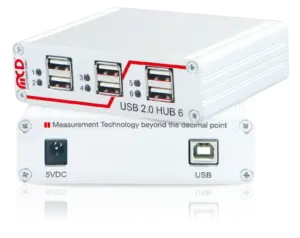
Compact USB 2.0 version with six ports and additional control inputs. Ideal for automated test stations, adapter solutions, or systems where external signals are used to control individual ports.

Switchable 6-Port USB 2.0 Hub

Compact basic version with six individually switchable USB 2.0 ports. Suitable for simple control tasks, laboratory applications, and test systems where USB devices need to be selectively switched on and off.

FREQUENTLY ASKED QUESTIONS

FAQS

A switchable USB hub is a USB distributor in which individual ports can be specifically switched on and off. With the MCD USB hubs, depending on the variant, both the supply voltage and the data lines of a port are separated. This allows USB devices to be activated, deactivated or reset in a controlled manner, thereby saving hardware and power consumption.
MCD USB hubs are used in test benches, laboratory setups, functional testers, end-of-line test systems, automated test systems and endurance test systems. They enable the controlled control, monitoring and coordination of USB devices such as cameras, scanners, measurement modules, programming devices, sensors or adapter electronics, while standard USB hubs usually only distribute data and power.
MCD offers switchable USB hubs with USB 2.0 or USB 3.0 standards and with six or eight ports. There are also variants with two external control inputs or with an integrated relay multiplexer for additional switching tasks. The USB hubs can also be used under Linux. The control takes place via a virtual serial interface with simple text commands.
USB 3.0 variants offer a significantly higher data rate and are suitable for fast data transfers, for example for cameras, measurement data or data-intensive test processes. USB 2.0 variants are robust solutions for applications where control, reset function and power supply are more important than maximum data rate.
The Toolmonitor USB Hub is a software tool from the MCD TestSuite for controlling and configuring the MCD USB hubs. It allows switching individual ports, saving configurations and remote control by other applications. In addition, connected devices can be monitored and errors detected using the current measurement function of the tool monitor. This makes the USB hub an active diagnostic element in the testing process.

Downloads

Detailed Information

Technical Article: USB 3 Hub 8
Technical Article: USB 3 Hub 6
USB Hub Flyer